

Find your people, keep them close.
One of the most critical things to maintaining your ability to survive in the coming years will have access to your support community.
Looking at how other countries have limited access to the internet and communications, whether authoritarian or just to remove freedoms from their citizens; it’s not a stretch to think that the same could happen under a Trump administration.
Already in the US, some classes of web content are being locked behind ID checks to satisfy conservative lawmakers or blocked to satisfy corporate lobbying. With that direction already starting, it won’t take much to continue the momentum, especially in red states that want to limit access to information contrary to their agenda.
Use Encrypted Connections
One of the first ways you can protect yourself on the public internet is to encrypt all your connections and communications. Telling your web browser to prefer HTTPS connections will keep your traffic encrypted (think of it as the contents of an envelope), and using Encrypted DNS will also keep the requests to domains private (think of that like the outside of the letter).

Firefox has options for both forcing HTTPS for pages and for Encrypted DNS. This combined with a privacy-preserving Ad blocker will keep most trackers at bay. If you’re on a Mac, iCloud Private Relay will also help with this, although you’ll still need an ad blocker.
Having secure communications can be harder. Interceptors can easily read emails and SMS messages because they are not secure by default. Sending actually encrypted email can be a pain. ProtonMail and Tuta both provide private email options, but both you and your recipient have to be using encrypted email for transferring messages to be safe. GPG Tools can also make any email account encrypted.
Secure Your Messaging
For SMS, there’s no universal way to end to end encrypt (E2EE) between device types. RCS provides encryption in specific situations between Android users. Also, iMessage between Apple users is actually end to end encrypted. Turning on iCloud Advanced Data Protection can also keep phone backups safe from a government-level actor with a subpoena. If you’re messaging between types of users though or want additional assurances, you’ll need a third party chat application.
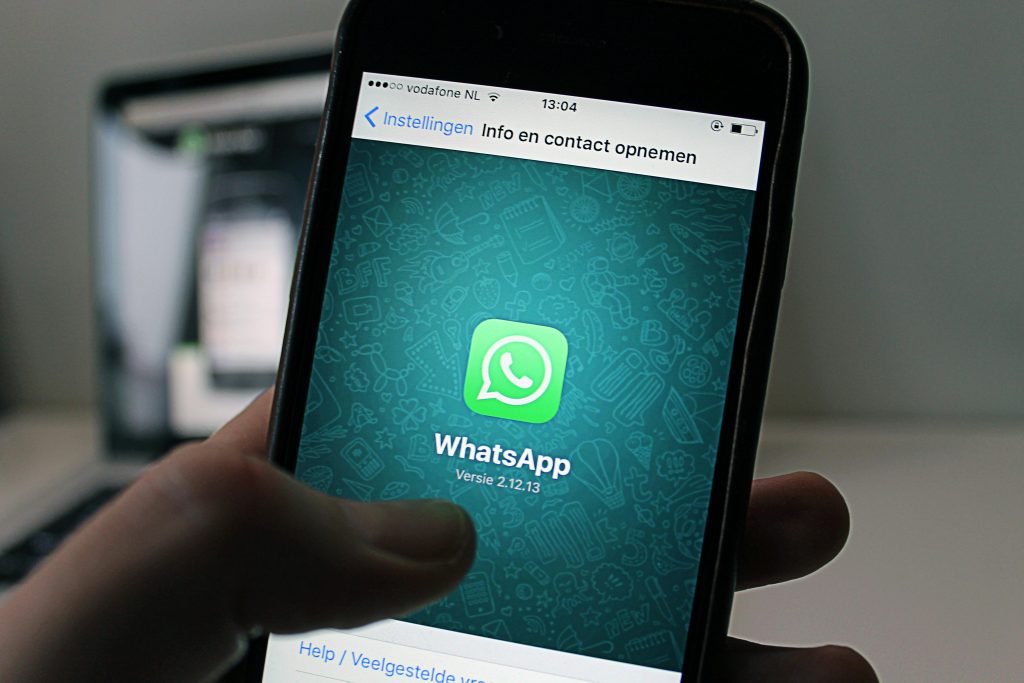
The most approachable end to end secured messenger is WhatsApp, which is E2EE between parties by default but requires some level of trust of Facebook/Meta, which is a tall ask.
Signal is far and away the most trusted of the E2EE chat platforms and uses a highly tested set of defaults to protect communications from government-level actors. There are also a few other E2EE platforms that are a little newer, namely Session, Matrix, and SimpleX. While not as extensively tested as Signal, Session, Matrix, and SimpleX offer additional features that might be appealing.
A good policy would be to have accounts on two of these E2EE services with connections to multiple friends, so you have a backup you can switch to if you ever need to and maintain contact. It’s also a good idea to grab apps for these services now before they potentially face government interference.
A very notable point to add here is that Discord and Telegram are not secure by default. Both of them store your messages plainly readable in their own data center. A hack could easily leak your data, or law enforcement could request it at any time. Don’t use these services for anything you don’t want traced back to you.
The number of abortion rights activists, LGBTQ+ organizers, and immigrants that could all be outed with a single bulk data request to Discord and Telegram is terrifying to me; and I’m hopeful these groups will migrate to secure channels for the safety of their members.
VPNs
First things first, VPNs are not a panacea as they’re often touted. Tracking scripts or simply noticing your login in a place where your identity is known and another place where it’s not at the same time can still reveal your identity, even with a VPN. Browser fingerprinting is also usable even over a VPN. Long story short, a VPN will not solve everything, but it can totally be a great additional layer.
For exposure risk, define your exposure risk and what risks you’re willing to take. Once you’ve defined your risk tolerance, then you can set up protections to meet that level of tolerance. In cyber security, you’ll often hear this described as a Swiss cheese model, where if you have multiple layers, the layers can fill the holes in prior layers.


I’ll be doing another post on risk tolerance coming up here soon, but for now, the fastest approach is to make sure you have multiple layers of protection. Securing your operating system, running a trusted VPN, and using a locked down browser are three excellent layers.
ProtonVPN and Calyx Institute both have free privacy-preserving VPNs you can use easily to get some immediate protection. There’s a list of good privacy-preserving VPNs. You will get more bang for your buck by getting a paid VPN, and it’ll let you do things like beat geo-blockers, but a free VPN from one service above will totally get you by.
The Onion Router
The Onion Router (shortened to Tor) is another potential layer of security in your cheese model. Onion routing means each time you request a resource, your request passes through multiple intermediaries to hide the source and destination of the individual request. Tor isn’t perfect. Ways exist to unmask a Tor user, but their use is incredibly rare.

The best ways to use Tor are to either use the Tor Browser bundle, which is a custom bundle of Firefox and the Tor application that’s ready to use. The most secure way is to use Tails OS which is a live booting operating system you can boot from a flash drive. Governments and activists extensively audited and routinely used both to secure their access to the internet. You can connect to a VPN first before connection to Tor to hide the usage of Tor from your ISP or a monitoring party.
For most folks, Tor will be overkill. But if you’re organizing or doing things a red state wants to criminalize, it’s a really useful tool to have in your tool chest. Again, now is the time to download the Tor Browser installer or Tails flash drive. Even if you keep them just in case, you’ll be able to install and update through the Tor network in the future. Better to have it and not need it.
Wrapping up today with a couple of last links, you can check out https://www.privacyguides.org/ for more Privacy-preserving resources. Privacy Guides don’t take sponsorships or use affiliate links and are the most unbiased in this area. https://www.privacytools.io is also an option, although they accept sponsorships. Both are excellent resources to explore more.
We have 63 days to go. Let’s keep getting ready!
Cover Photo by Josh Appel on Unsplash